
VisionOps Engine
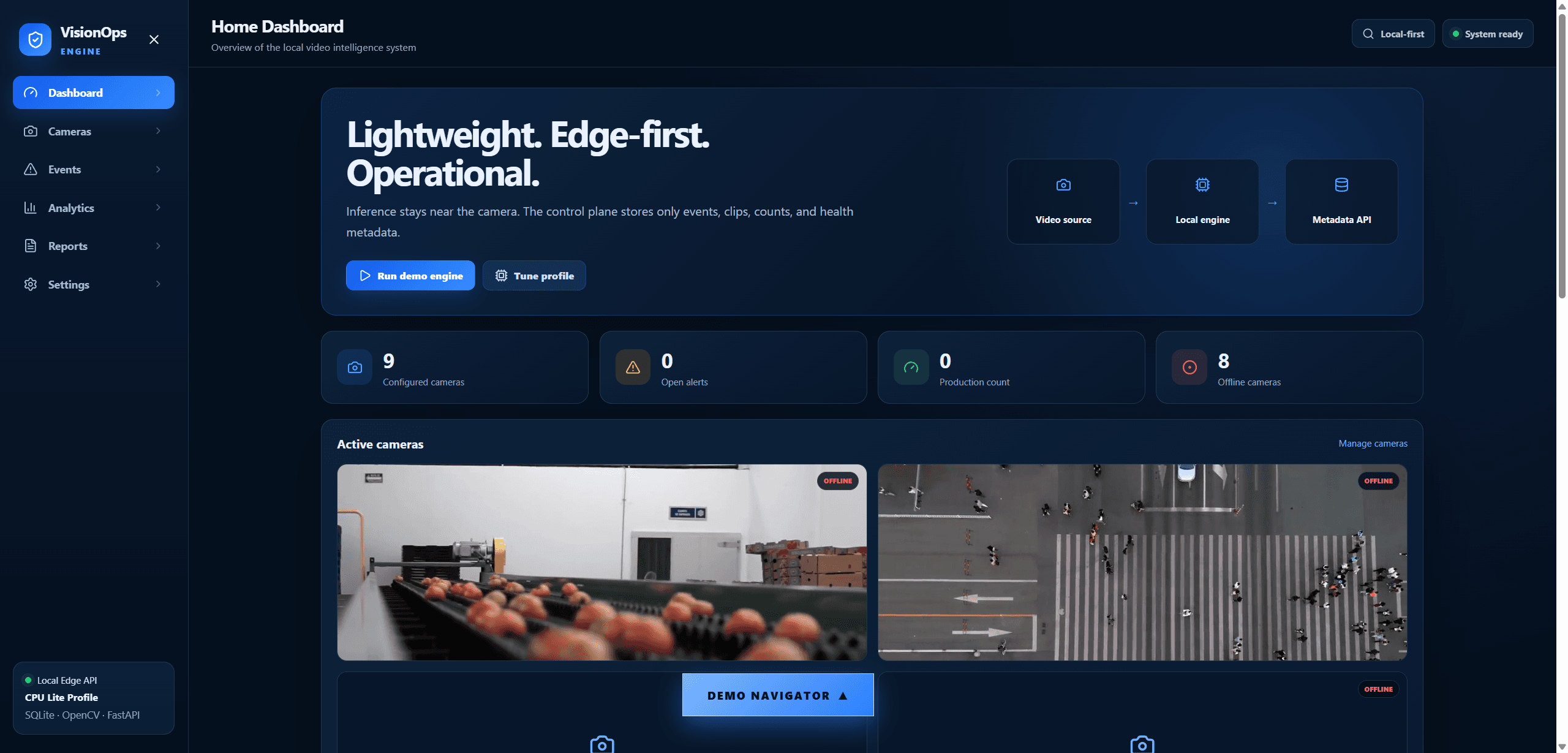
Real-time computer vision monitoring engine — motion, object counting, and person detection across multiple demo cameras.
Dashboard DraftDashboardAvailableRp 19.000AdvancedUpdated 2026-07-14FastAPI (Python), OpenCV DNN, YOLOX-S ONNX (Apache-2.0, bundled), React + Vite, SQLite (dev), Docker
Description
A FastAPI + React/Vite operations-monitoring engine built on real, working computer vision — not a mockup. Ships classical motion/bright-object detectors plus a bundled Apache-2.0 YOLOX-S person detector (OpenCV DNN, fully offline), a SORT-lite tracker, and three counting strategies (line, virtual photoelectric beam gate, and flux-line) chosen per camera scenario. Verified against benchmark test footage: exact box-conveyor counts, and a ~6.5x person-recall improvement from tiled inference on a top-down crowd clip. Ships with 9 seeded demo cameras and one-command Docker deployment.
What Already Works
Classical motion and bright-object detectors, plus real offline YOLOX-S person detection
SORT-lite tracker: constant-velocity prediction, IoU + distance matching, occlusion coasting
Three counting strategies per camera: line counter, virtual beam-gate counter, and flux-line counter for dense streams
Tiled person inference for improved top-down/aerial recall
9 seeded demo cameras across counting, safety-zone, and person-monitoring scenarios
Operations dashboard: live status, event clips, snapshots, analytics, CSV reports
One-command Docker deployment
What's Included
- Full source code (backend + frontend)
- Bundled Apache-2.0 YOLOX-S checkpoint and license
- README and setup guide
- InMyDraft Commercial License
- AI-ready docs pack (architecture, API, database, deployment, model strategy, benchmark results)
- Backend pytest suite
How to Run
- Unzip the source.
- Fastest path: docker compose up --build -d.
- Manual path: pip install backend requirements, npm install in frontend, run scripts/generate_demo.py to materialize demo footage, then start both dev servers.
- Open the frontend URL shown in the terminal.
Continuation Notes
- Read DEMO-MODE-WARNING.md before adapting — it documents exactly which demo assets need replacing before a real deployment.
Known Limitations
- SQLite is for local development and single-instance demo only — PostgreSQL is the production target
- Demo camera footage licensing is mixed: two clips are Pexels-licensed, the rest are provided as-is for local demo use only and must be replaced with your own or fully-licensed footage before any public or commercial deployment
- No authentication wired for the operations dashboard itself in this build
- Person-count metric is people-visible-per-frame, not persistent unique-identity tracking
- Still needs human or developer review before shipping